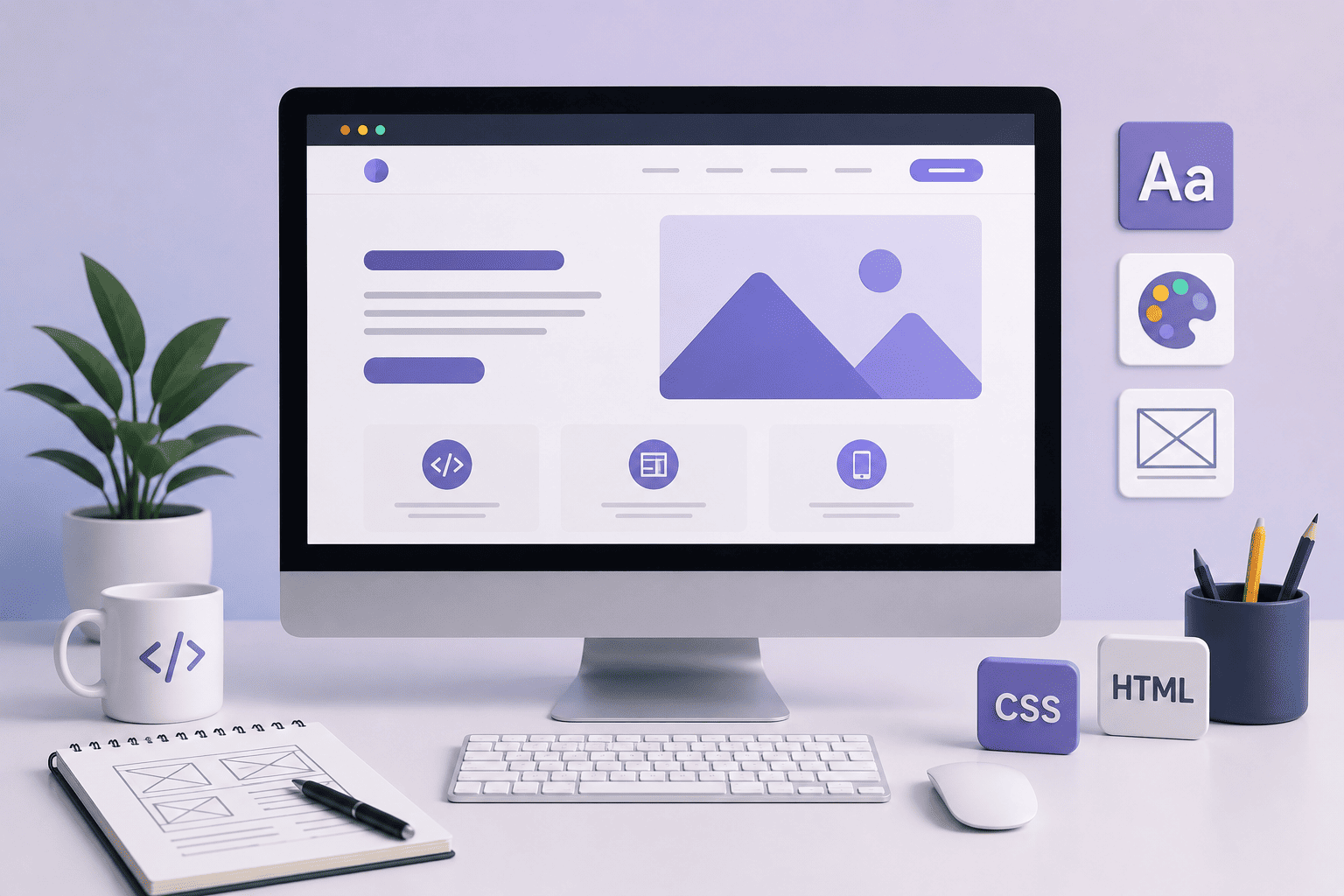
As the world rapidly moves toward complete digitalization, understanding the fundamentals of web design is no longer limited to developers and designers. It has become essential for every business owner seeking to establish a strong digital presence. Today, a website is more than just an online page it is your digital storefront, your communication channel with customers, and a powerful tool for converting visitors into sales. This guide provides the practical and strategic foundations you need to build a professional website that achieves your business goals.
What Is Web Design?
Web design is the process of creating and developing websites on the internet by combining visual creativity with technical programming. It encompasses various disciplines, including graphic design, User Experience (UX) design, User Interface (UI) design, programming, content creation, network security, and Search Engine Optimization (SEO).
Web design can range from creating a simple static website containing text, images, and links to building complex web applications, content management systems (CMS), and Application Programming Interfaces (APIs).
The Difference Between a Web Designer and a Web Developer
| Criteria | Web Designer | Web Developer |
| Focus | Visual appearance and user experience | Programming code and technical functionality |
| Responsibilities | Colors, typography, images, navigation, content | Databases, servers, security, performance |
| Tools | Figma, Adobe XD, Sketch | HTML, CSS, JavaScript, PHP, Python |
| Goal | Visual appeal and smooth user experience | Technical performance, stability, and speed |
Note: Some professionals combine both roles and are known as Full-Stack Developers.
The Importance of Web Design for Businesses in 2026
First Impressions Are Made in 0.05 Seconds
Visitors form their first impression of your website in less than a second. If the site is slow, confusing, or visually unattractive, users are likely to leave immediately and may never return.
This means that web design fundamentals are not merely aesthetic considerations—they are direct investments in the success of your business.
Digital Transformation in Saudi Arabia
With the goals of Vision 2030 and the accelerating digital transformation across Saudi Arabia, having a professional website has become a necessity rather than an option.
Businesses without a strong digital presence risk losing significant opportunities to competitors who invest in comprehensive digital platforms.
The Impact of Design on Sales
- 88% of consumers will not return to a website after a poor user experience.
- 94% of first impressions are related to website design.
- Fast-loading websites can achieve conversion rates up to three times higher than slower alternatives.
The Five Essential Elements of Website Design
1. Domain Name & Hosting
A domain name is your website’s address on the internet (such as fvs.com.sa). It should be:
- Easy to remember and concise
- Reflect your brand identity
- Include a relevant keyword whenever possible
- Use an appropriate extension (.com for commercial businesses, .sa for Saudi-based websites)
Hosting is the server that stores your website files and makes them accessible online. Key factors when choosing a hosting provider include:
| Criteria | Importance |
| Server Speed | Directly affects user experience and SEO |
| Security | SSL certificates and protection against cyberattacks |
| Technical Support | Availability of 24/7 assistance |
| Scalability | Ability to handle website growth |
| Backup Services | Protection against data loss |
2. Code Structure
HTML (HyperText Markup Language):
A markup language used to structure and organize web page content. Think of HTML as the framework of a house.
CSS (Cascading Style Sheets):
The code responsible for styling and presenting content. CSS acts as the decorative layer, controlling colors, fonts, layouts, and overall appearance.
JavaScript:
A programming language used to add dynamic functionality to web pages, such as image sliders, interactive menus, and web applications.
3. Responsive Design
Since mobile devices account for nearly half of all web traffic, responsive design is an essential skill for modern websites. It ensures that a website displays properly on all screen sizes, from smartphones to desktop computers.
Responsive Design Techniques:
- Using relative units instead of fixed measurements
- Leveraging advanced CSS techniques such as Media Queries
- Using frameworks like Bootstrap to speed up development
- Testing the website across various devices and screen sizes
4. User Experience (UX) & User Interface (UI)
User Experience (UX):
Focuses on how easily visitors can use and interact with a website. It includes:
- Easy navigation and information accessibility
- Fast loading speed and responsiveness
- Clear and well-organized content
- Minimizing the steps required to achieve user goals
User Interface (UI):
The visual and interactive aspect of the website, including:
- Colors, typography, and whitespace
- Buttons, forms, and navigation menus
- Visual consistency across all pages
- Attractive and professional design
5. Security & Data Protection
Website security is essential for protecting user data and building trust.
Best practices include:
- Installing an SSL certificate to encrypt user data (HTTPS)
- Regularly updating software and plugins
- Using firewalls and intrusion detection systems
- Performing routine data backups
The 10 Most Important Principles of Professional Website Design
1. Simplicity & User-Friendly Navigation
A website should be clean and free of unnecessary elements. Complexity increases bounce rates, while simplicity encourages visitors to stay longer. Use clear menus and intuitive buttons to help users find information quickly.
2. Attractive Design & Visual Consistency
Use eye-friendly colors (ideally no more than four) while maintaining consistency across all pages.
The 60/30/10 Rule:
- 60% Primary Color
- 30% Secondary Color
- 10% Accent Color
3. Mobile-Friendly Compatibility
Failing to optimize for mobile devices means losing a significant portion of potential visitors. Your website should perform flawlessly on smartphones, tablets, and desktop computers.
4. High-Quality Content & Readability
A website without valuable content provides little value.
Content should be:
- Clear and easy to read
- Unique and informative
- Organized with headings and short paragraphs
- Supported by optimized images and videos
- Naturally integrated with relevant keywords
5. Fast Loading Speed & Technical Performance
Most users will not wait longer than three seconds for a page to load. Website speed is a critical factor in improving user experience and reducing bounce rates.
Ways to Improve Speed:
- Compress images and reduce file sizes
- Minimize code and remove unnecessary elements
- Choose a reliable, high-performance hosting provider
- Use a Content Delivery Network (CDN)
6. Search Engine Optimization (SEO)
Modern website design relies heavily on SEO best practices to ensure websites are discoverable and easily indexed by search engines.
Key SEO principles include:
- Building a fast, mobile-friendly website with clean code
- Including relevant keywords in headings and content
- Creating well-structured content that satisfies user intent
- Optimizing headings (H1–H6), internal links, and meta descriptions
- Improving navigation and reducing bounce rates
7. Website Security & SSL Certificates
Both users and search engines prefer secure websites. An SSL certificate is essential for protecting visitor data and establishing trust.
8. Easy Communication & User Interaction
Provide visitors with convenient communication options such as:
- Social media links
- Simple contact forms
- Live chat support
These features reassure users that assistance is readily available.
9. Clear Privacy Policies & Terms of Use
Especially for business websites, it is important to clearly outline:
- Privacy policies
- Shipping and return policies
- Terms and conditions
This helps prevent legal issues and strengthens customer trust.
10. Logical & Organized Website Structure
Content should be organized into clear categories and supported by internal links connecting related pages. Creating an XML sitemap also helps both users and search engines navigate the website efficiently.
A well-structured website improves usability, supports SEO performance, and ensures visitors can easily find the information they need.
Steps to Design a Website from Scratch
Step 1: Define Your Goals and Target Audience
Before writing a single line of code or designing any interface, clearly identify:
- What is the primary purpose of the website? (Selling products, providing information, generating leads, etc.)
- Who is your target audience?
- What action do you want visitors to take?
Step 2: Plan the Content and Site Structure
Organize your pages logically so visitors can find what they need within seconds. Create wireframes that outline the layout and placement of key elements on each page.
Step 3: Design the User Interface (UI)
Transform wireframes into complete visual designs using tools such as Figma or Adobe XD. This stage includes selecting colors, typography, images, and other visual elements that reflect the brand identity.
Step 4: Development and Coding
Convert the approved designs into functional web pages using HTML, CSS, and JavaScript. Ensure compatibility across various browsers and devices while maintaining clean, scalable code.
Step 5: Testing and Optimization
Test the website on multiple devices and screen sizes. Check loading speed, identify and fix bugs, and optimize performance before launch.
Step 6: Launch and Ongoing Maintenance
Publish the website, monitor its performance, analyze visitor behavior, and continuously update content and functionality to maintain optimal results.
Essential Website Design Tools
| Tool | Purpose |
| Figma | UI design and team collaboration |
| Adobe XD | User experience design and prototyping |
| Sketch | User interface design for macOS |
| WordPress | Content management and no-code website building |
| Bootstrap | Responsive design framework |
| VS Code | Code editing and development |
| Google Analytics | Website traffic and user behavior analysis |
| PageSpeed Insights | Website speed testing and optimization |
| GTmetrix | Detailed performance analysis |
Common Website Design Mistakes to Avoid
| Mistake | Impact | Solution |
| Overly complex and cluttered design | High bounce rate | Simplify layouts and use whitespace effectively |
| Slow loading speed | Visitor loss and weaker SEO | Compress images and optimize code |
| Lack of mobile responsiveness | Loss of mobile traffic | Implement responsive design from the start |
| Ignoring SEO | Poor search visibility | Optimize the website for search engines |
| Weak content | Reduced credibility and engagement | Create valuable, original content |
| No clear CTA | Lower conversion rates | Use prominent call-to-action buttons |
| Missing SSL certificate | Reduced trust and security | Install SSL immediately |
| Ignoring analytics | Lack of performance insights | Use Google Analytics and monitoring tools |
Website Design and Digital Marketing
A website should not function as an isolated asset. Instead, it should serve as the central hub of your digital presence and integrate seamlessly with:
Paid Advertising Campaigns
Landing pages should be specifically designed to maximize conversions and support advertising goals.
Social Media Marketing
Provide clear social media links and make content sharing easy for visitors.
Email Marketing
Include effective subscription forms and lead-generation opportunities.
SEO
Build a website structure optimized for crawling, indexing, and ranking in search engines.
Data Analytics
Track every important visitor interaction to understand behavior and improve performance.
Why Choose Future Vision for Your Website?
Future Vision provides complete website design and development solutions that go beyond aesthetics. We build digital platforms that help businesses achieve measurable growth.
What We Offer
Professional Website Design
- Attractive interfaces that reflect your brand identity
Responsive Design
- Seamless performance across all devices
High Technical Performance
- Fast loading speeds and clean, optimized code
SEO Optimization
- Website structures designed for higher search visibility
Comprehensive Security
- SSL certificates and advanced protection measures
Ongoing Support
- Maintenance and updates to ensure long-term performance
Our Services Include
- Website Design and Development
- E-commerce Store Development
- Mobile Application Development
- Digital Platform Design and Development
- UX/UI Design and Optimization
Frequently Asked Questions About Website Design Fundamentals
1. What are the fundamentals of website design?
Website design fundamentals include five core components: domain name and hosting, code structure (HTML/CSS/JavaScript), responsive design, user experience and user interface (UX/UI), and website security. Together, these elements form the foundation of a successful website.
2. What is the difference between a web designer and a web developer?
A web designer focuses on visual appearance and user experience using tools such as Figma and Adobe XD. A web developer focuses on coding and technical functionality using technologies like HTML, CSS, JavaScript, and PHP. Some professionals combine both skill sets and are known as Full-Stack Developers.
3. How much does website design cost in Saudi Arabia?
Website design costs in Saudi Arabia typically range between SAR 3,000 and SAR 50,000 depending on complexity, features, and project scope. Basic websites start around SAR 3,000, while advanced e-commerce platforms and custom solutions can exceed SAR 50,000.
4. How long does it take to build a website?
A simple website generally takes 2–4 weeks to complete. Medium-sized projects may require 1–3 months, while large websites and complex e-commerce platforms can take 3–6 months or more.
5. What is responsive design?
Responsive design ensures that a website displays and functions properly across all screen sizes, from smartphones and tablets to desktop computers. It relies on flexible layouts, relative units, and CSS techniques such as Media Queries.
6. Why is website speed important?
Most users abandon websites that take longer than three seconds to load. Speed affects user experience, conversion rates, and search engine rankings. Faster websites often achieve significantly higher conversion rates.
7. What is an SSL certificate, and is it necessary?
An SSL (Secure Sockets Layer) certificate encrypts data exchanged between website visitors and the server. It is essential for protecting sensitive information, building trust, and improving search engine rankings. Websites without SSL are often flagged as “Not Secure” by browsers.
8. Can I build a website without coding experience?
Yes. Platforms such as WordPress, Wix, and Shopify allow users to create websites without coding. However, for a fully customized, high-performance, and SEO-optimized website, working with a professional web design company is highly recommended.
9. How does website design affect SEO?
Website design directly impacts SEO through factors such as loading speed, mobile responsiveness, clean code structure, user navigation, and visitor engagement. Even high-quality content may struggle to rank if the website performs poorly.
Conclusion
Website design fundamentals are not just about coding and visual aesthetics; they represent a combination of art and science aimed at creating exceptional digital experiences. In today’s fast-changing digital landscape, businesses need websites that not only look great but also perform efficiently, rank well in search engines, and convert visitors into customers.
Don’t settle for an ordinary website. Choose a partner who understands your vision and transforms it into a digital platform that grows alongside your business.
Future Vision is ready to build your next website and help you achieve your digital goals.
Related Articles:
- How to Write Marketing Content That Attracts Customers
- Professional Marketing Content Writing to Attract Customers
- SEO Optimization Steps | Better Google Rankings
- Complete Guide: Search Engine Optimization (SEO)
- Best 10 AI Marketing Tools in 2026
- Marketing Consulting Company for Business Growth